Showing posts with label Android Tricks. Show all posts

Tuesday, 22 March 2016

How To Run Android Apps In Chrome Browser

Most of PC/Laptop user use android emulator to run android apps on their PC/Laptop.But when we run any emulator on PC/Laptop it goes hang.But now we can run android apps in famous Google Chrome browser.No doubt chrome is one of the best computer browser,it's fast,easy to use.So Follow these steps to run android apps on your computer without any emulator.

What things are needed to do this?

  1. Chrome Browser
  2. Any Apk File(Android App)
  3. ARC Welder
Follow These Steps-

  1. Install ARC Welder App in Chrome Browser.(Download ARC Welder)
  2. Then click " ADD TO CHROME“ button.
  3. Launch ARC Welder App.
  4. Navigate and assign a directory to keep files for ARC Welder App
  5. Click “Add Your APK” to add a APK File which you want to run.
6. Edit your preferences like (Edit your preferred orientation,Edit your preferred form factor “Tablet” or “Phone”)

7. Click on “Launch APK” button.

Messanger-Running-in-ARC-Welder

Thursday, 17 March 2016

Is Your Phone Original?

Many illegal companies make duplicate phone to grow their business.So do you want to check your phone originality,it's very easy.Follow this steps-

Step 1-In your phone type *#06# in dialing pad.And a pop up will automatically appear and their you will see 15 digits number.It is you phone's IMEI number.

Step 2-Now go this website- http://www.imei.info

Step 3-Type 15 digits IMEI number and click on Check.If your phone is not original you will see Invalid IMEI.

Done...

Monday, 14 March 2016

Solve Any Math Problem With Your Android Mobile(Handwriting Support)

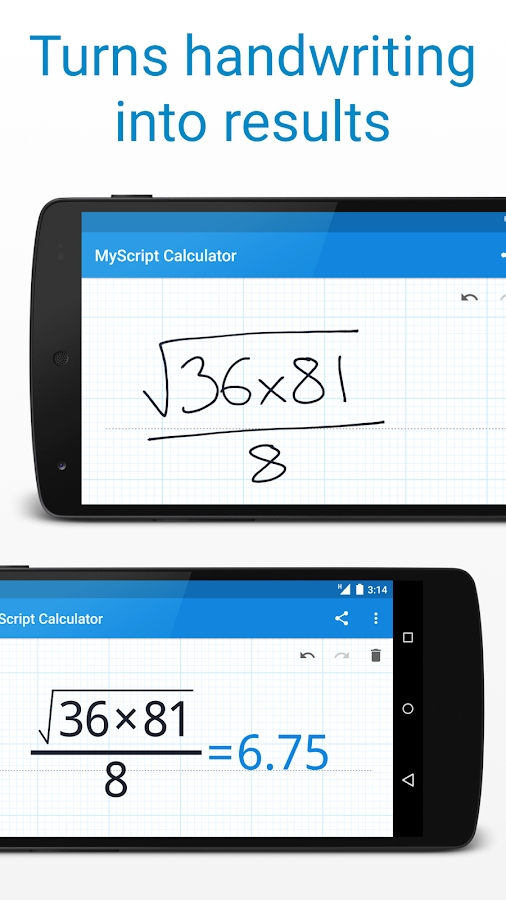
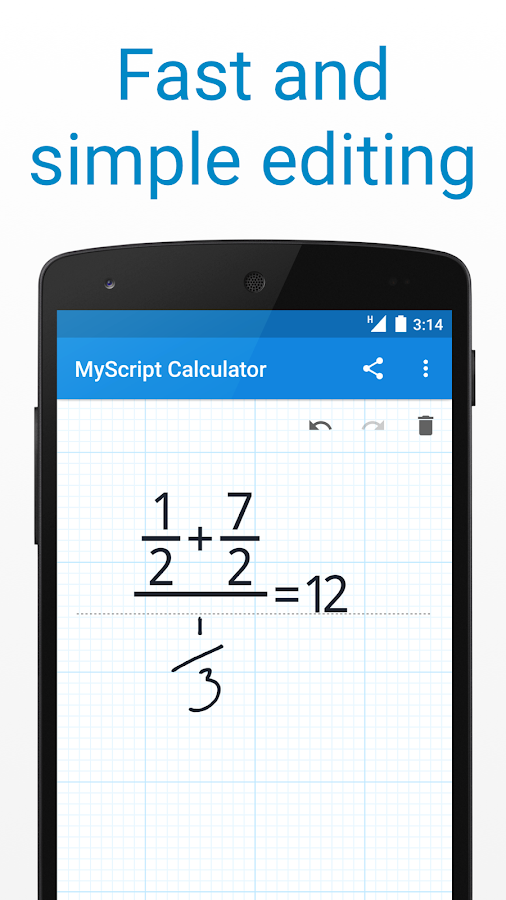
Now a days many student has android phone on their hand.So this trick is especially for those students who wants not to waste time for calculating math problem for hours and hours.So there is a app which can solve your math problem.Very interesting thing is that the app support handwriting.So you can write down your math problem on the app screen and solve the math problem .So the app anme is MyScript Calculator.


With MyScript Calculator, perform mathematical operations certainly using your handwriting.

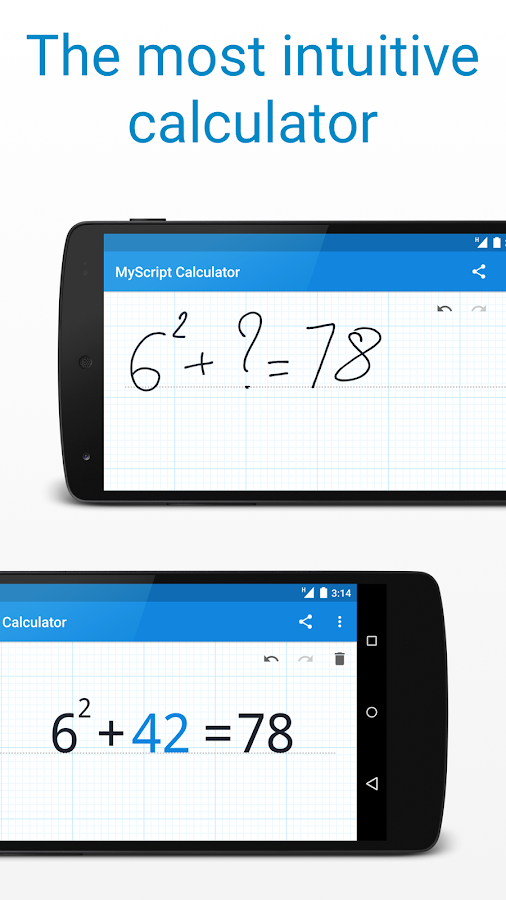
Smooth, easy and intuitive, just write the mathematical expression on the display screen then allow MyScript era perform its magic converting symbols and numbers to digital textual content and delivering the bring about real time. 
The same enjoy as writing on paper with the benefits of a virtual device (Scratch-outs, effects in real time, …).
resolve mathematical equations by using hand with out simply having to crunch the numbers your self

Benefits and features

- Works for your smartphone (Use your finger or a capacitive stylus along with your android smartphone (Samsung Galaxy phones, HTC, Motorola, Sony Xperia, LG Optimus and others)
- Works in your pill (Take advantage of the S-Pen along with your Galaxy be aware, or use any capacitive pen with your Galaxy Tab family of pills, HTC flyer, Lenovo Thinkpad, Asus transformer and others)
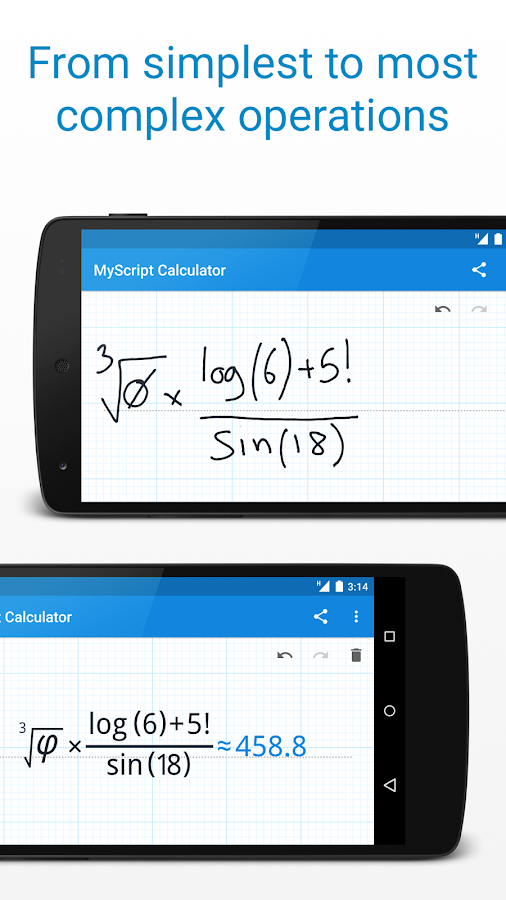
- Use your handwriting to write down any arithmetic system
- Write and calculate mathematical expressions in an intuitive and natural manner with out a keyboard
- Scratch-out gestures to without difficulty delete symbols and numbers
- Portrait and landscape operation
- Redo and undo functions.
     

Download Now [16MB]


Wednesday, 2 March 2016

Turn Your Selfie Into Sticker


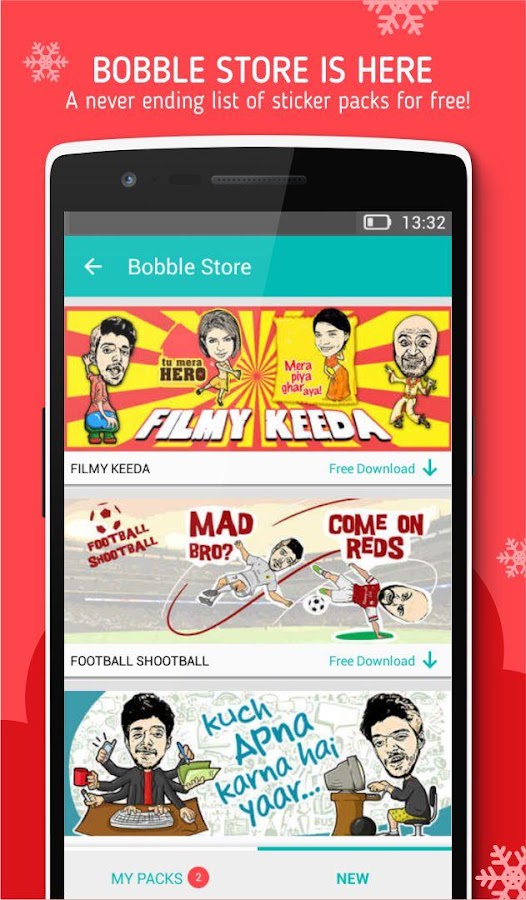
Many of us use sticker when using online messaging app.Sticker help us to understand emotion.But we use sticker of some cartoons.Messaging app like Hike has a feature to send sticker.But those sticker are official version.But now you can create own sticker and also you can share it not only by Hike but also other online messaging app like Whatsapp,Telegram etc.So follow these steps to do that...


1-Go to this website and download Bobble App.

2-Install it on your android phone.

3-Lunch Bobble app and select head tab.

4-Click on + button

5-Choose you selfie or  you can also click on use camera to take selfie

6-Select Gender of your selfie.

7-Adjust your face frame.
It take some time to create your sticker.

Done...

If you dont under stand how to create you sticker on bobble by above steps.Try this video tutorial.


Screenshots

Friday, 26 February 2016

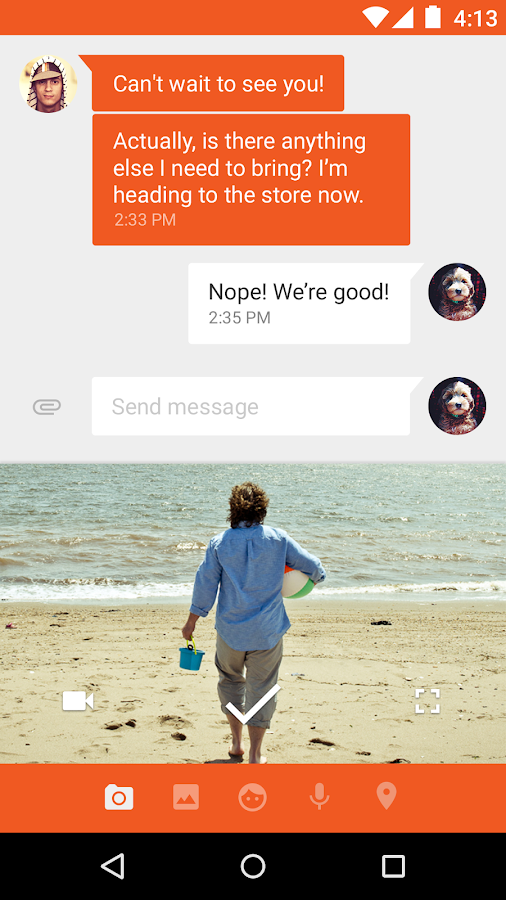
Install Android Lolipop Messenger

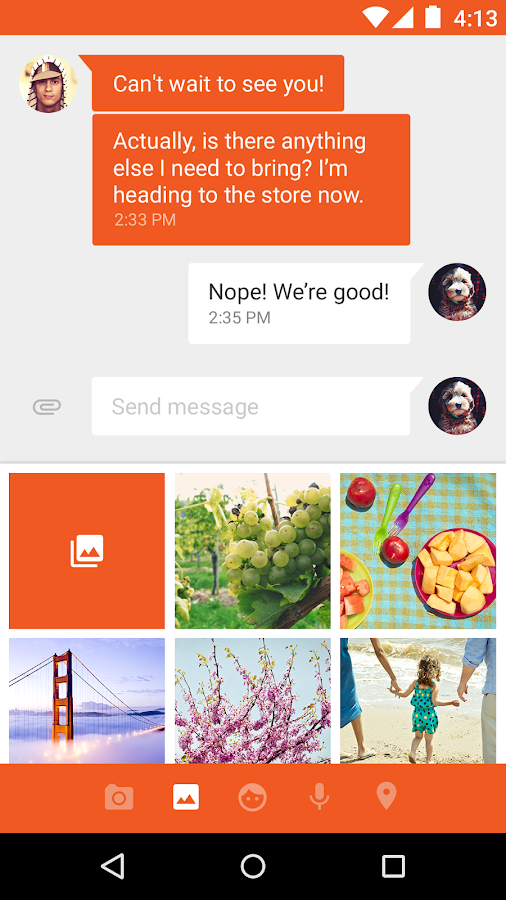
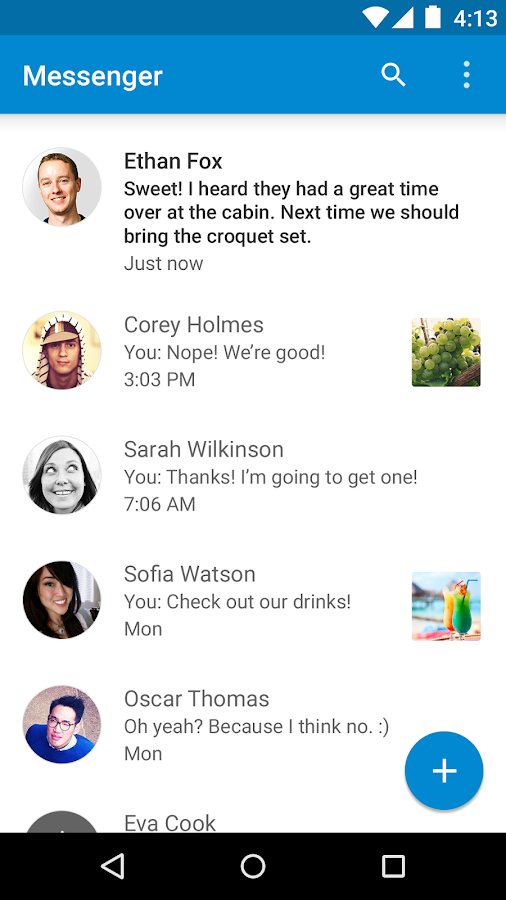
Stay in touch with friends and family. Messenger from Google is a communications app that helps you send and receive SMS and MMS messages to any phone. You can also send group texts as well as your favorite pictures, videos and even audio messages to your contacts.
Key features:

• Faster sharing: Select or take pictures and videos directly from the app and share easily. You can even send audio messages to your contacts.
• Easy search: Search through contacts and conversation threads to find exactly what you are looking for.
• Purposeful design: New, fluid, material design that is intuitive and delightful.
• More control: Ability to block SMS senders. No interruptions when you don’t want them!
• More features: audio messages, emoji support 😃, stickers, location sharing, colored text threads, message archiving and more.

Messenger is supported on devices running Android™ 4.1, Jelly Bean, and above.


Saturday, 20 February 2016

How To Record Screen In Android[No Root]

Screen recorder are mainly used for making tutorial videos.But many people can not use screen recorder because their phone have no root access.So I have a good news for them who suffers this problem.Using AZ Screen Recorder you can easily record android screen without root.


Features Of AZ Record Screen-
★ Magic button : a button that controls your recording without showing anything on the screen. Thus, your video viewers will solely focus on the app, the game or whatever you want to screencast.
★ Overlay front camera : you can record your face and your emotions in a small overlay window, which can be dragged freely to any position on the screen and customized to any size and opacity.
★ Countdown timer : is there something you have to prepare before recording ? Don't worry, the countdown timer will wait until you are ready to start and snap at the moment you want.
★ Draw on screen : this unique feature is huge when making a tutorial. You can emphasize, draw a symbol or mark something with any chosen colour directly on your screen.
★ Trim videos : the screencast can be long and contains unnecessary information, you can trim the parts you don't want to make your videos even more impressive.

(No PC connection are required)


Download Now


Play 360° Video On PC/Android/Mac


Recently Youtube has launch 360 degree video.360 degree video means you can rotate video screen to any angel you want,just like 3D. 360 video puts you at the center of action with a natural and engaging viewing experience.360 video do not support in Vlc/Kmp or any other windows/Andoid/Mac player.


To watch 360 video on your pc/android device download Kolor Eyes-360 Video Player

Download Kolor Eyes


For Windows 32Bit/64Bit

For Andoid

For Mac

Preview Of 360° Video


Download This Video


To watch more 360 degree video go to https://www.youtube.com/channel/UCzuqhhs6NWbgTzMuM09WKDQ

Thursday, 11 February 2016

Top Funny,Amazing Question For ''Okay Google''


FUNNY QUESTIONS GOOGLE VS. APPLE

Google vs Apple Siri

1. Okay Google, what is better: iPhone or Android?
ok google android vs iphone
As you see Google is quite loyal to Android OS. By the way, Siri thinks the opposite (see question 7).
Another reply to the same question:
Funny OK googleIt seems that Google is going to offend me.
2. Okay Google, you know, Siri is better 

Wednesday, 10 February 2016

How to Get Android Marshmallow features on your Smart Android Phone

android 6 marshmallow 4
You don't need to wait for Marshmallow to get a taste of its best features. 

Android Marshmallow feature: manage app permissions

Have you been happily clicking OK to every app’s permissions list and now worry they’re sending your personal information to God knows where? Android Marshmallow enables you to allow or deny permission retrospectively, so you’re not stuck with the decisions you make when you first download the app. It’s very useful but it isn’t part of Android Lollipop. If you have a rooted device, however, the excellent XPrivacy can bring the same features to your mobile or tablet today.
androidpit scott permissions
Marshmallow doesn't make you stand by decisions you made ages ago.  / © AndroidPIT
Download {Root}Xprivacy installer

Android Marshmallow feature: Chrome Custom Tabs

Until Android 6.0 Marshmallow, clicking on a link within an application – such as a link you’ve been sent on WhatsApp or in an email – will automatically open the link in your default browser. And that’s fine, but a full browser has a hefty overhead that you don’t always want when you’re just investigating what the link is.
Chrome Custom Tabs in Marshmallow will address that by loading a stripped-back subset of Chrome that uses fewer system resources than the full Chrome browser. You can’t add it to Lollipop, but installing the ultra-light Link Bubble browser and making it the default will do much the same – no rooting required. What Link Bubble does is display a link in a little bubble, loading it in the background while you get on with what you’re doing.
google io chrome tabs
Can't get Chrome Custom Tabs? Try Link Bubble instead.  / © Google
Download Link Bubble Browser

Android Marshmallow feature: Smart Link

Sticking with the subject of navigation, Smart Link is one of those little features in Marshmallow that you’ll soon wonder how you managed without. Instead of opening every kind of link in the web browser, Smart Link opens them in the appropriate app – so, for example, a link to a tweet opens in your Twitter app without opening the browser or asking you what app you want to use. On older versions of Android, you can get much the same functionality by installing the excellent TapPath.
app com
TapPath does a pretty good job of delivering Smart Link for app links.
Download Tap Path Browser Helper

Android Marshmallow feature: support for fingerprint readers for payments

In Android Marshmallow, the fingerprint sensor is supported throughout the OS, not just for unlocking your phone but for authorizing things such as payments. You can get similar functionality in recent Samsung devices thanks to PayPal and FIDO: go to Settings > Fingerprints > Pay with PayPal to enable the feature.
If you don’t have a fingerprint reader don’t worry: you can use ICE Unlock to turn your camera into a scanner, although it’ll only unlock your phone. That’s because while it works perfectly well as a phone unlocker, the camera can’t process the same level of detail as a dedicated fingerprint scanner, so the security isn’t strong enough to be trusted with your debit or credit card details. Still, it’s enough to keep your pals out without having to bother with long passcodes.
sensor huellas
Fingerprint unlocking and authorizing is really useful. 
Download ICE Fingerprinprint Unlock Screen

Sunday, 7 February 2016

Make Your Old Smartphone Into a Camera

Use tour unused old smartphone as a spy camera.Just Follow the steps:-

1)Download Web of Cam APK.

2)Install it.

3)Log in with your Google account.Select 'Camera' option when asking for Camera OR Viewer option.

4)Install Web of Cam in new smartphone.

5)Log in with your Google account.Select 'Viewer' option when asking for Camera OR Viewer.

Done.......